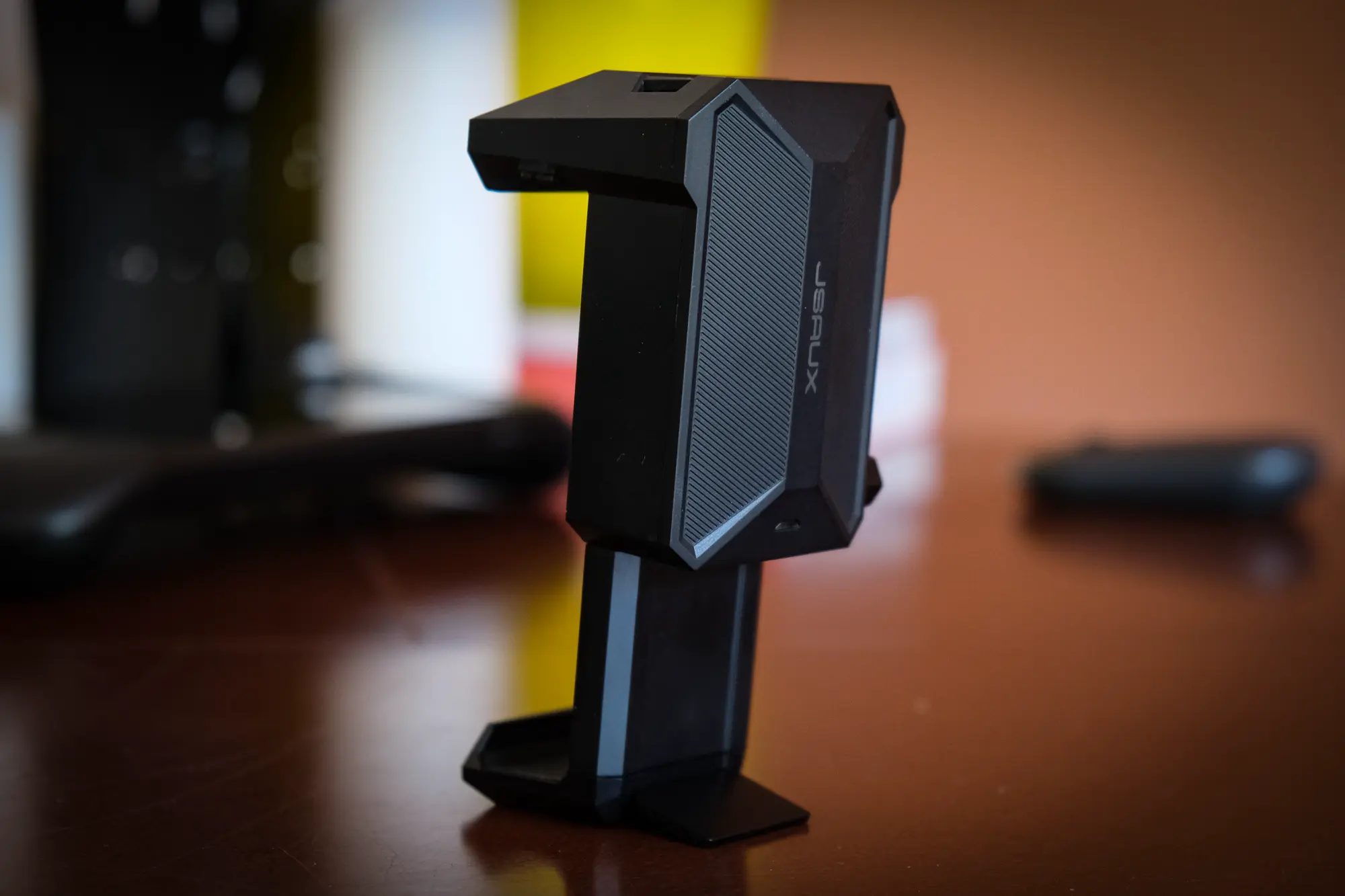
If you own a Steam Deck, it has probably become (subjectively) pretty dang hot at some point — if not basically whenever you use it. When the Deck’s GPU is pushed to 100% utilization, its fan is at full blast basically constantly, which may feel a bit concerning. Enter the JSAUX Cooling Fan for Steam Deck, a $40, battery-powered external fan for Valve’s gaming portable.
I bought this little guy a month ago because I suffer from mechanical sympathy. The idea I’m just roasting the internals of my poor little Steam Deck makes me squirm, and the JSAUX and its many accompanying Amazon reviews promised to deliver me thermal absolution. But after a few weeks, I basically see no reason to buy one.
In short: The JSAUX Cooling Fan for Steam Deck works. Using SteamOS’s helpful performance overlay, it’s immediately obvious in titles like The Witcher 3, Fallout 4, and No Man’s Sky that GPU temperatures drop substantially. Whereas I might see anywhere from 80-84 Celsius when playing The Witcher 3, the Deck now hovers between 69 and 72C. Not bad! But what have we actually achieved here?

Does the Steam Deck actually need an external fan?
This is the $40 question. The answer: Almost no one actually needs an external fan for the Steam Deck. A product like the Steam Deck has been designed and tested under long-term thermal stress as part of its development. Valve has all but certainly pushed the Deck to 100% utilization for days at a time to ensure it can withstand any reasonably likely scenario.

The Steam Deck would only benefit from an external cooling solution in the event it reaches operating temperatures that cause it to reduce system performance (throttle) to prevent damage to the hardware inside — i.e., when extra cooling would prevent such a throttling scenario. Reports of Steam Deck throttling are rare. While you can find some folks on places like reddit claiming their Deck throttles, you’ll find far more people responding that the same games and usage patterns result in no throttling whatsoever with their own Steam Deck.

External cooling fans for the Deck as a response to potential throttling only makes sense when used in exceptionally high ambient temperature conditions or very confined spaces (i.e., if you place your Deck in the Steam Deck Dock inside a closed cabinet). If you’re using the Steam Deck in an area with very high ambient temperatures and are experiencing overheating behavior (random shutdowns or reboots), an external cooler might be a solution.
Does an external fan prolong the Steam Deck’s life?
It’s debatable whether the use of an external cooler will meaningfully prolong the life of your Steam Deck or its batteries. When it comes to the Deck’s electronics and protecting them from heat, I think it’s really unlikely you’re doing anything to increase its lifespan with an extra fan (unless you are using it in a very hot environment to start with). I’m confident that Valve laboratory tested this product to operate at a high degree of utilization for extended periods, and there’s no indication I’ve seen that Steam Decks tend to fail because of constant usage. As for the battery, charging and discharging lithium ion batteries is the quickest way to put wear on them, and so it makes the most sense to keep your Steam Deck plugged into a charger whenever possible and use power passthrough mode. The heat from the system’s components during use is a secondary concern in that regard.
Without long-term side-by-side testing in a controlled environment with a statistically significant sample size, no one can deliver a definitive answer as to how a product like JSAUX fan might reduce the chance of early failure or premature battery degradation in the Steam Deck. I will say: The use of an external fan won’t hurt the Steam Deck — a computer that runs cooler is generally preferable to one that runs warmer. But that’s quite different from saying a computer than runs cooler lasts longer than one that runs warmer, because it’s entirely possible that won’t be the case — so long as both operate within known thermal tolerances.


JSAUX Steam Deck fan FAQs
How long does the JSAUX Cooling Fan last per battery charge? JSAUX says the cooling fan should work for 4 hours at high speed, and up to 6 hours at low speed. Charging takes around 1.5 hours from empty.
Does the JSAUX Cooling Fan work with the Steam Deck Dock? Your Steam Deck will no longer fit in the Deck Dock cradle with the fan attached. The JSAUX fan comes with a small stand on the bottom of the fan that, to me, makes this a non-issue.
Does the JSAUX Cooling Fan work with Steam Deck cases? Depends on the case. I’d personally advise against using it with a case, I don’t know how sturdy the spring mechanism to clasp it to the Deck is with repeated tension applied.
Can the JSAUX Cooling Fan turn on automatically? No. There is a manual knob (and not a very good one, I’d add) that controls the fan’s on/off switch and speed. Because it’s just a battery powered fan, there’s no way to link it to the Steam Deck’s status.
Is the JSAUX Cooling Fan loud? At the highest speeds, yes: This is a very loud little external cooler. If you’re using it with the Deck Dock and playing on a TV, or using noise-cancelling headphones, it’s probably not that noticeable. But if you’re using the Deck’s own speakers, it’s going to be distracting.
Is the JSAUX Cooling Fan heavy? It weighs around 200 grams, so yes, this will noticeably increase the weight of your Steam Deck. The original Deck weighs around 670 grams, meaning the JSAUX fan adds around 30% more mass, and comparatively more for the lighter Steam Deck OLED.
Why are there two versions of the JSAUX Cooling Fan? The GP0200 model is designed to be used with JSAUX’s Steam Deck case and doesn’t use the spring-loaded clamp mechanism. The GP0201 model uses the spring-loaded clamp and is meant to be used without a case on the Steam Deck. This is the only difference between the two models.
One response to “JSAUX cooling fan for Steam Deck review: But why?”
[…] Steam Deck’s internal cooling fan is very effective (though external coolers exist, here’s a review of one). But like any computer, using the Steam Deck in an extremely warm environment may create excess […]